Working
Margin confetti
Both gutters hold a Memphis collage, pastel at rest. During a turn the colours saturate while circles bob, triangles tumble and squiggles wiggle. When it ends they drain back to pastel.
Light, loud and a little silly. Confetti sits in the margins until your agent starts working, then it bobs and tumbles.
Every bit of motion is tied to something the app is actually doing. If nothing is running, nothing moves.
Both gutters hold a Memphis collage, pastel at rest. During a turn the colours saturate while circles bob, triangles tumble and squiggles wiggle. When it ends they drain back to pastel.
The line under the chat header is a wave. It steps sideways for as long as the agent is busy and stops when it is done.
A pink squiggle crawls under any busy thread in the sidebar, and under the live Working… row, so you can see which conversations are still thinking.
Click into the composer and it lifts on a longer pink shadow while a yellow dot and a blue triangle unfold from its corners.
While a turn runs the composer floats on a yellow shadow. When it finishes the composer springs back to rest and the confetti fades to pastel.
Under 1460px the margins slim to one calm column of shapes, and the sidebar keeps only its terrazzo so nothing sits behind thread text. Hover a thread and it leans toward you.
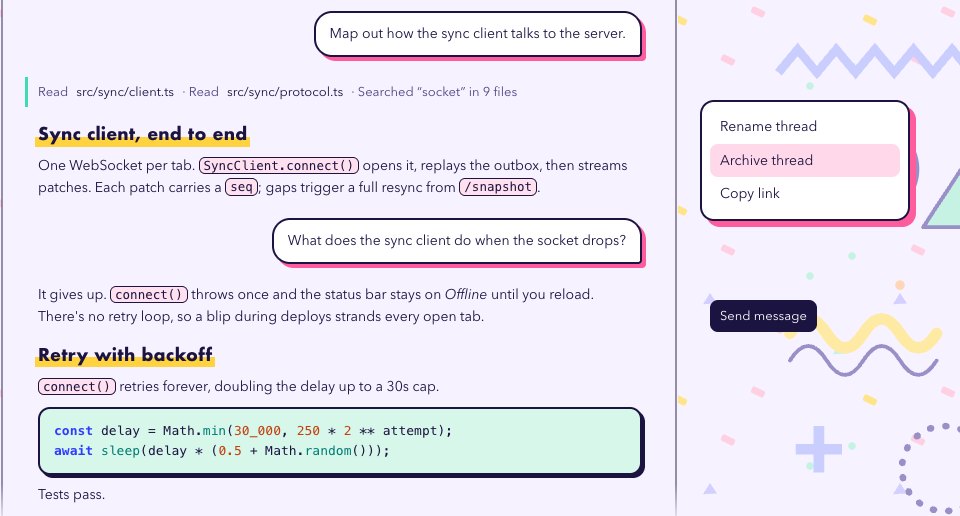
At rest, compose, a turn starts, a background thread goes busy, the turn completes, hover, and the narrow fallback.
Deep indigo ink for every word, lemon for the sidebar, cobalt for actions, and pink kept for focus and work in progress. Click a row to copy its hex.
Works on T3 Code 0.1.11 and up. The theme is one JSON file.
curl -fsSL -o squiggle.json https://joshsaintjacque.github.io/t3code-theme-squiggle/squiggle.json
~/.t3/bin/t3 theme set squiggle.json