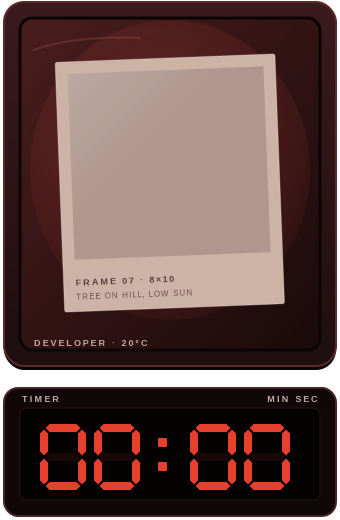
A red-safelight theme for T3 Code. Near-black room, paper-white print, one lamp colour. While a turn runs, a photograph develops in the margin and a timer counts. When it ends, the print is fixed and the room goes still.
Every animation is tied to real app state. If nothing is running, nothing moves. Flip the switches below to see each piece working and at rest.
A · The traymargin left
A print develops
On wide windows the left margin is a developing tray. When a turn starts a fresh print goes in: sky first, then the hills, then the deep blacks. Below it a seven-segment timer counts the seconds. At rest the print is fixed and the timer waits at 00:00.
B · The linemargin right
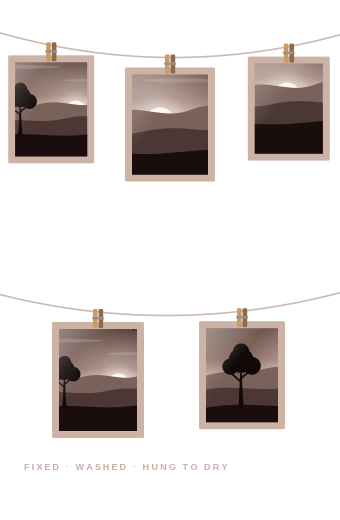
Wet prints hang to dry
Finished prints hang on a line in the right margin. While work runs they sway slowly on their pegs and drip. Idle, they hang straight and dry.
C · Header rulerchat header
The ruler
The foot of the header is a ruler. During a turn a glint of safelight travels along it, with no promise of when it will finish. When the turn ends the ruler flashes ivory once.
Sync client retries t3code · main
D · Pegs and dotssidebar
Threads hang from pegs
Point at a thread and a clothes-peg clips onto it. A busy background thread gets a pulsing safelight dot.
Polish onboarding flow now
Fix websocket reconnect working
Refactor composer state 1d
Cache warmup job 3d
E · Composerclick to focus
A strip of film, lit on focus
The composer is a frame of film. Focus it and the safelight comes up: the border warms, a soft glow rises and the sprocket holes light.
Opus 5.5 · Full access · main
02
The walkthrough
About a minute: at rest, compose, a turn starts, the print comes up, turn done, hover, menus, and the narrow-window fallback.
▶ Darkroom · walkthrough1920 × 1080
03
Palette
One hue on near-black. Red is the lamp, paper is the print, amber is the enlarger. Click a swatch to copy its hex.
Contrast: text on canvas 15.6:1 · muted 8.9:1 · print ink on paper 11.2:1 · safelight button text 6.3:1.
04
Install
Three baths. One JSON file, nothing else to fetch.
Bath 1 · Developer10 s
Copy the theme
Copies darkroom.json to your clipboard. Or download the file.
Bath 2 · Stop20 s
Add it in T3 Code
Open Settings › Appearance › Add theme, paste the JSON (or choose the file) and add it.