Clerestory
A theme for T3 Code

Dim at rest. Lit while your agent works.

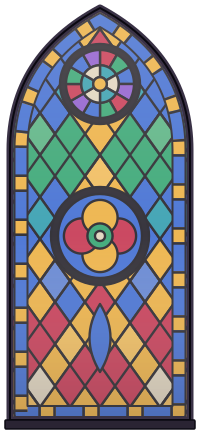
A stained-glass theme for a dark nave. Jewel-toned windows stand in the margins and stay quiet between turns. The moment a turn starts they kindle, and shafts of light sweep across the glass and the floor behind your conversation.

Mid-turn · the windows are lit

Light only where work is happening.

Every animation is tied to real app state. Between turns the nave is dusk-dim and still. Start a turn and the glass lights; finish it and the light withdraws. Try it below.

Windows

Glass in the gutters

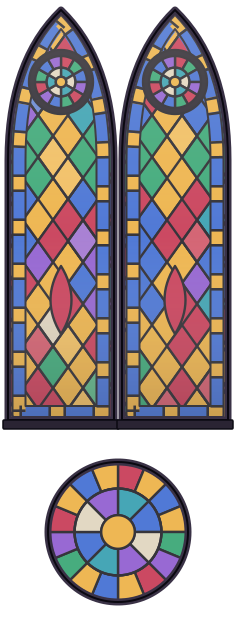
A tall lancet on the left, a twin pair on the right, in a few hundred panes of lead and glass. Dusk-dim at rest (hover the lancet above to kindle it); at full colour, with a pale shaft of light crossing the glass, while a turn runs.

Nave floor

Shafts across the floor

Behind the reading column, two soft shafts of light drift across the conversation: faint and fixed at rest, brighter and moving while the agent works. A scrim keeps every line of text on dark ground.

Header

Light along the lead

The header rule is a strip of jewel colour that slides slowly along the lead while a turn runs, and holds an amber edge until the turn ends, then fades. At rest it is a thin, dim line.

Sidebar

Busy threads glow

A pane of light drifts across any thread an agent is working on. The current thread wears a ruby and amber bar down its edge.

Composer

Set in lead

The composer is set in lead with a short row of jewel panes along its top edge. Focus it and they brighten as one sheen crosses the pane. While a turn runs the rim glows amber, and fades when it ends.

Reduced motion

A good still

With reduced motion on, nothing moves. A turn in progress shows the windows lit at full colour and still, with one pale shaft parked on each window and no flares.

Narrow windows

Glass at the edges

Below 1460px there is no room in the margins, so a column of the lancet's own border panes runs down each edge of the conversation, dim at rest and lit while a turn runs. The sidebar's leaded edge lights with it.
One full turn, start to finish.

Demo · captioned walkthrough1:17

Palette

Click any row to copy its hex. Amber is reserved for what needs you: focus, send, and work in progress. The jewels live in the glass.

Nave

Type

Signals

Glass · in the CSS and art, not colour roles

On your screen in about ten seconds.

Clerestory is a single JSON file: colours plus CSS. Add it from inside the app, or set it from the terminal.

From the app

No terminal needed.

  1. Copy the theme
    Download
  2. Open the theme pickerSettings›Appearance›Add theme
  3. Paste it, or choose the fileThen add it. Clerestory is selected for you.

From the terminal

Downloads the theme, publishes it and switches to it.

$ curl -fsSL -o clerestory.json \
    https://joshsaintjacque.github.io/t3code-theme-clerestory/clerestory.json
$ ~/.t3/bin/t3 theme set clerestory.json

This sets the theme for the whole environment, so every connected client switches. Change it back anytime in Settings › Appearance.

Tested on T3 Code v0.1.11 (nightly). Generated by source/build.py; the page is built from source/make_site.py.